


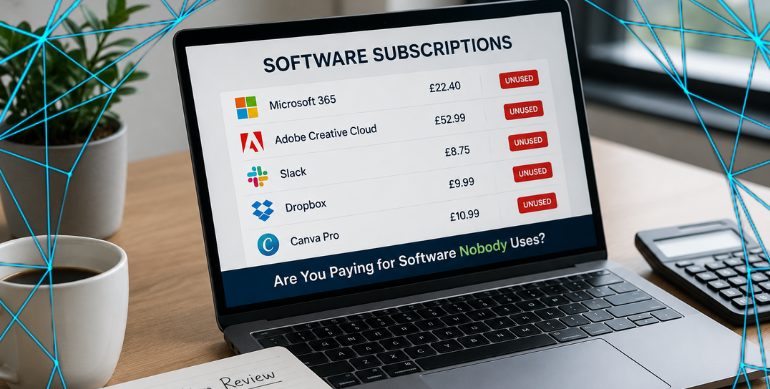
13 Aug Are You Paying for Software Nobody Uses?
Software subscriptions have a habit of quietly building up.
£10 here. £25 there. £50 somewhere else.
An employee leaves, but their licence stays active. Someone signs up for software for a project and nobody remembers to cancel it. A new system replaces an old one, but both subscriptions keep being paid.
Individually, they don’t look like much.
But over a year, unused software licences can quietly cost a business hundreds (sometimes thousands) of pounds.
And the frustrating part?
You might be paying for something nobody has used for months.
How Do Unused Software Licences Build Up?
Usually, nobody has done anything wrong.
Businesses change. People join and leave, new software gets introduced and temporary solutions become permanent.
Adding a subscription takes minutes.
Remembering to review it six months later is another matter.
Imagine you have eight unused licences costing £20 each per month.
That’s £1,920 a year being spent on absolutely nothing.
And that’s before considering premium licences where employees only use the basic features, or different applications that do essentially the same job.
Try This 20-Minute Software Check
You can start finding unused software licences yourself.
Take your last three months of business bank and credit card statements and find every recurring software payment.
Then ask:
- What is it? If nobody knows, investigate it.
- Who uses it? Don’t assume 20 licences means 20 active users.
- Do we still need it? Another system may now do the same job.
- Are we paying for former employees?
- Are we paying for features nobody uses?
- Do we have two systems doing the same thing?
The aim isn’t to cancel everything.
It’s to understand what you’re paying for and whether you’re getting value from it.
Don’t Forget Microsoft 365
Microsoft 365 is a particularly good place to check for unused software licences.
As people join, leave or change roles, licences don’t always change with them.
Check:
- How many licences you’re paying for
- How many are actually assigned
- Whether former employees still have licences
- Whether each employee has the right licence for what they actually do
A quick review could uncover costs you’ve been paying every month without realising.
Value Matters More Than Cost
This isn’t about buying the cheapest technology possible.
A £100-a-month system that saves your team hours of work could be excellent value.
A £15 subscription nobody has opened for two years isn’t.
The goal is simple:
Keep what provides value. Stop paying for what doesn’t.
One Question Worth Asking
Every six or twelve months, take a look at your software subscriptions and ask:
If we stopped paying for this tomorrow, who would notice?
If nobody can answer, it’s probably worth investigating.
Good technology should earn its place in your business.
Not Sure What You’re Paying For?
If you’re unsure whether you’re getting the best value from Microsoft 365, Simply IT can help.
We can review your Microsoft 365 setup, check the licences you’re paying for and identify unused software licences or areas where you may be paying for more than your business needs.
It’s not about cutting technology for the sake of it.
It’s about making sure you’re getting value from what you’re paying for.
Stay Connected on Social Media
Stay in the loop with the latest news and upcoming trends in the tech industry by following us on Facebook and LinkedIn.
Want to Read More?
If you found this blog useful, you may also enjoy reading: Business Continuity: Could Your Business Open Tomorrow? – Simply IT