
10 Sep Business Computer Management: Are Yours Managed Together?
If your business has several computers, here’s a simple question:
If you needed to make the same change to every computer tomorrow, how would you do it?
Would you make the change once and apply it across your devices?
Or would someone need to go around each PC and laptop individually?
For many small businesses, it’s the second one.
And there’s nothing necessarily wrong with that – particularly if you only have a handful of computers. But as your business grows, managing everything individually can become time-consuming and make it harder to keep things consistent.
What does “centrally managed” actually mean?
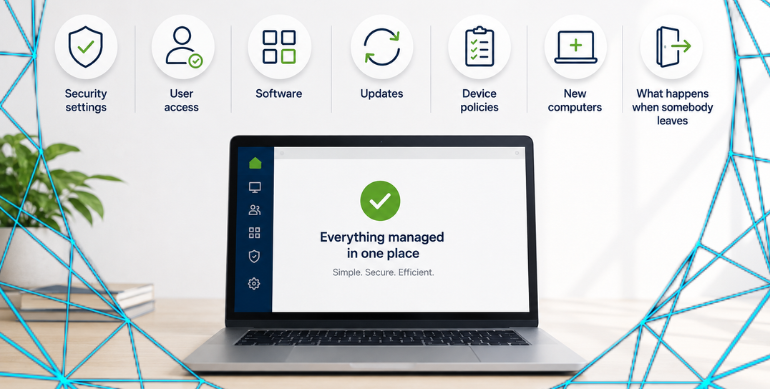
Put simply, it means your computers can be managed together rather than treating every device as completely separate.
Depending on how your IT is set up, this could allow your IT provider to manage things such as:
- Security settings
- User access
- Software
- Updates
- Device policies
- New computers
- What happens when somebody leaves
Instead of making the same change separately on ten computers, for example, some changes can be managed centrally.
Why does it matter?
Imagine an employee leaves your business.
You might need to remove their access, secure their computer, check company information and make sure they can no longer access business systems.
If everything has been set up individually over the years, there may be several different places that need checking.
The same applies when somebody joins.
Their laptop needs setting up, the right software installed, access provided and security settings configured.
Having your devices properly managed can make that process much simpler.
Does every small business need a domain?
No.
Years ago, businesses commonly used a Windows domain and an onsite server to centrally manage their computers.
That’s still appropriate in some environments, but it’s no longer the only option.
Modern businesses can also use cloud-based tools to manage computers, users and security without necessarily having a traditional server in the office.
And if you’re a very small business with only a couple of devices, individually managed computers may still be perfectly suitable.
The question isn’t “Do I need a domain?”
It’s: “Is the way we’re managing our computers still right for the business we’ve become?”
If your business has grown from two laptops to five, ten or twenty computers, but they’re still being managed in much the same way as when you started, it may be worth reviewing.
At Simply IT, we can look at how your computers, users and security are currently managed and explain your options in plain English.
No unnecessary technology. No jargon.
Just what makes sense for your business.
That’s Making IT Simple.
Stay Connected on Social Media
Stay in the loop with the latest news and upcoming trends in the tech industry by following us on Facebook and LinkedIn.
Want to Read More?
If you found this blog useful, you may also enjoy reading: User Access Management: Who Has Access to Your Business? – Simply IT